JOOMLA 5 & 6 EXTENSION SUITE • GPLv3 OR LATER
RocksDonations (Free & Open Source)
A modern, native Joomla! 5.x & 6.x (PHP 8.1+) fundraising, campaign, and donor management suite built by RocksCoder. Designed for non-profits, charities, and community organizations with high-converting donation forms, recurring pledges, tax receipts, UK Gift Aid, automatic dark mode, and WCAG 2.1 accessibility.
Download Free Package (v1.0.0)
Includes 6 native Joomla 5 & 6 extensions in one unified installer (pkg_rocksdonations): Core Component, Quick-Donation Form Module, Campaign Progress Module, GDPR Privacy Plugin, User Action Log Plugin, and 1-Click Sample Data Plugin.
Download pkg_rocksdonations-v1.0.0.zip (397 KB)
Requirements: Joomla! 5.0+ & 6.x • PHP 8.1+ • MySQL 8.0+ / MariaDB 10.4+ • License: GNU GPL v3 or later
SHA-256: 8c50a4ecfbc02bc38c141c820ab392e012ed15eeb5696a58b118f9931f7d6a05
Campaigns That Convert
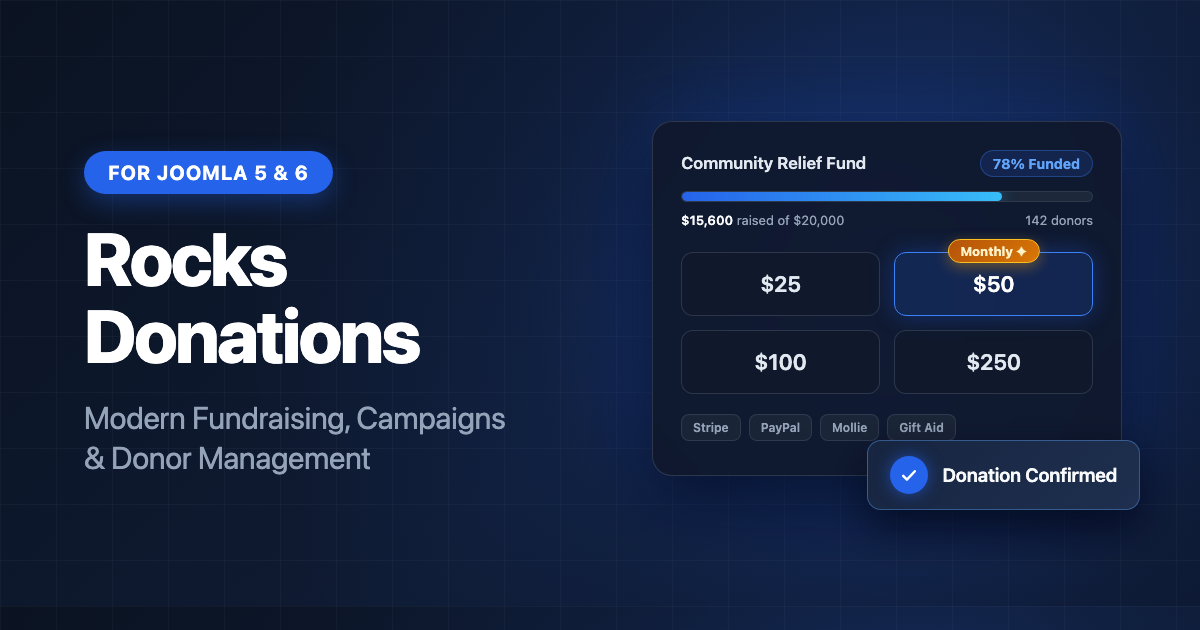
Unlimited campaigns with goals, live progress bars, preset tiers, start/end dates, donor walls, tribute gifts, and up to 10 custom form fields per campaign.
4 Built-In Payment Gateways
Stripe (one-time & recurring subscriptions), PayPal REST API v2, Mollie (iDEAL, Bancontact, SEPA, cards), and Offline / Bank Wire with fail-closed webhook verification.
Tax Receipts & UK Gift Aid
Sequentially numbered printable/PDF tax receipts, donor-covered processing fees, and UK Gift Aid declarations with one-click HMRC repayment schedule CSV export.
Donor Portal & GDPR Ready
Logged-in donors get a My Donations page for receipts and recurring plan cancellation, plus built-in Joomla Privacy export/anonymisation and Action Log auditing.
Quick-Start Documentation
- Install the Package: In Joomla Administrator, open System → Install → Extensions and upload
pkg_rocksdonations-v1.0.0.zip. The Privacy and Action Log plugins are enabled automatically. - Try Sample Data (Optional): On the Joomla Home Dashboard, open the Sample Data panel and click Donations Demo Data to populate sample campaigns, donors, and receipts (removable in one click).
- Configure Payment Gateways: Open Components → RocksDonations → Options → Gateways to enter your Stripe, PayPal, Mollie, or Bank Wire details and set up verified webhooks.
- Create Campaigns & Menus: Add fundraising campaigns in Components → RocksDonations → Campaigns, then publish menu items for Donation Form, Campaign List, Donor Wall, and My Donations, or assign the included site modules.
- Automatic Updates: Joomla automatically checks for new releases via the built-in update server (also available at
https://rockscoder.com/updates/rocksdonations.xmland on GitHub).
Support & Source Code
Need help installing or configuring RocksDonations? Contact us at rockscoders@gmail.com, visit our Contact & Support page, or open an issue on GitHub.